
One workflow—
exposure to action.
Discover exposure, validate what matters, prioritize remediation and track the result; in one operational platform.

Offensive Security Dashboard
01
Discover
Identify exposed assets, services and potential attack paths.
02
Test
Run AI-powered penetration testing against the authorized scope.
03
Triage
Separate valid findings from duplicates, rejected submissions and non-applicable results.
04
Prioritize
Connect technical severity to operational and business impact.
05
Remediate & Retest
Track remediation and confirm whether the exposure has been closed.
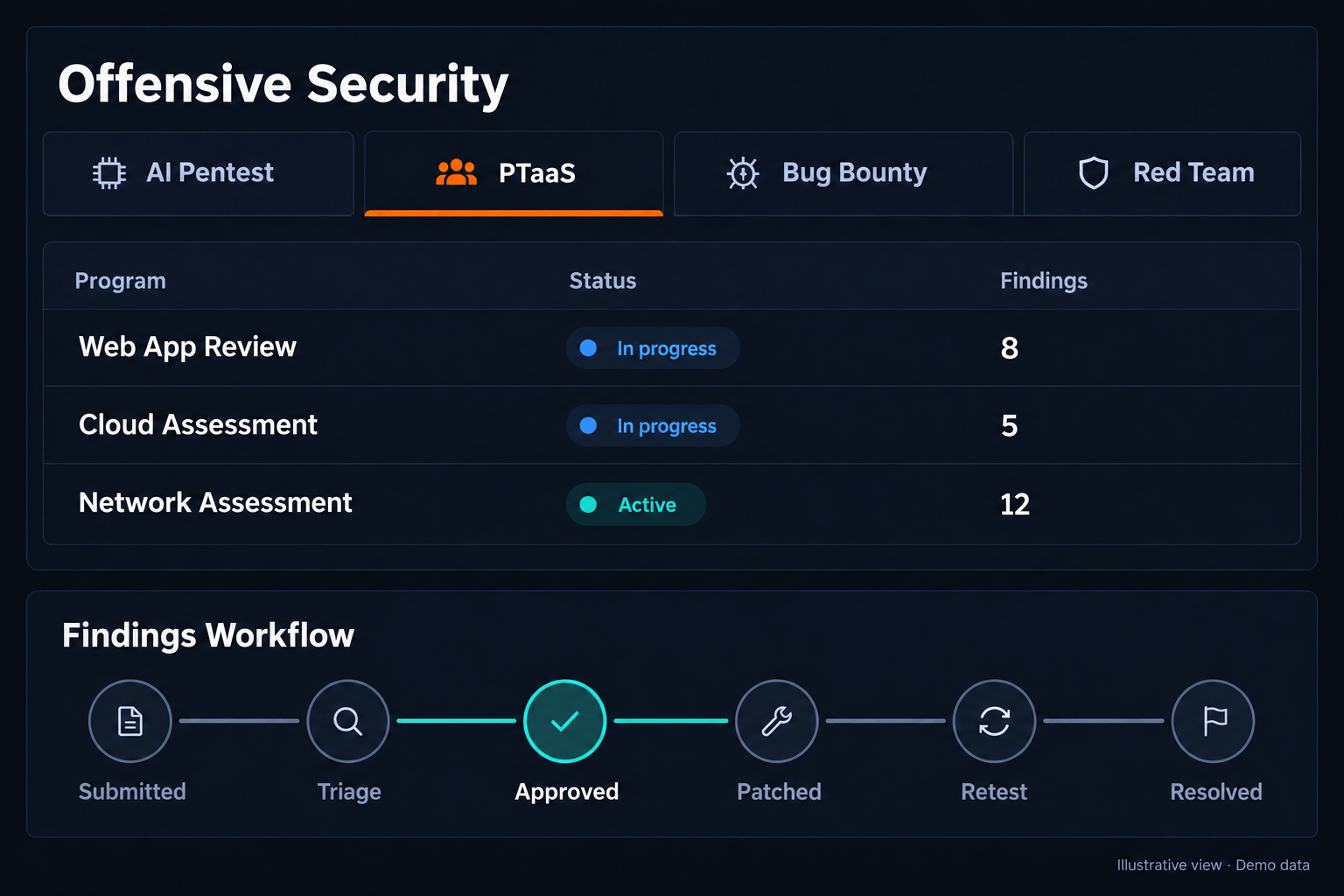
All your offensive testing. One platform.
Run AI Pentests, PTaaS, private bug bounty and red teaming from one workspace—with projects, findings and progress in view.
→ Four testing approaches
→ Centralized project oversight
→ Findings connected through to retest
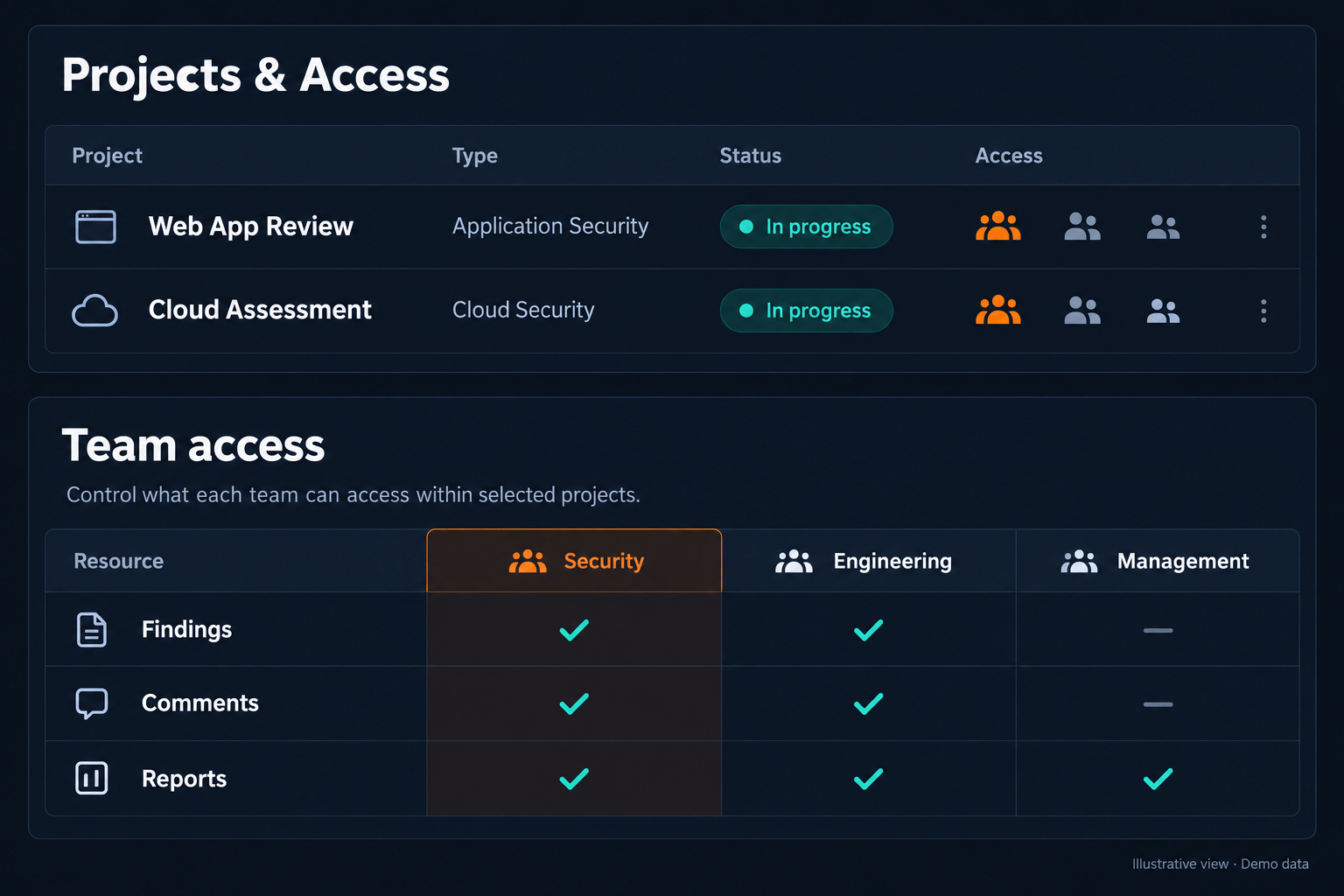
More projects. Precise control.
Manage concurrent security projects across teams and subsidiaries. Give each teammate access to the findings, discussions and reports relevant to their role.
→ Multiple projects in parallel
→ Granular team permissions
→ Technical and management visibility
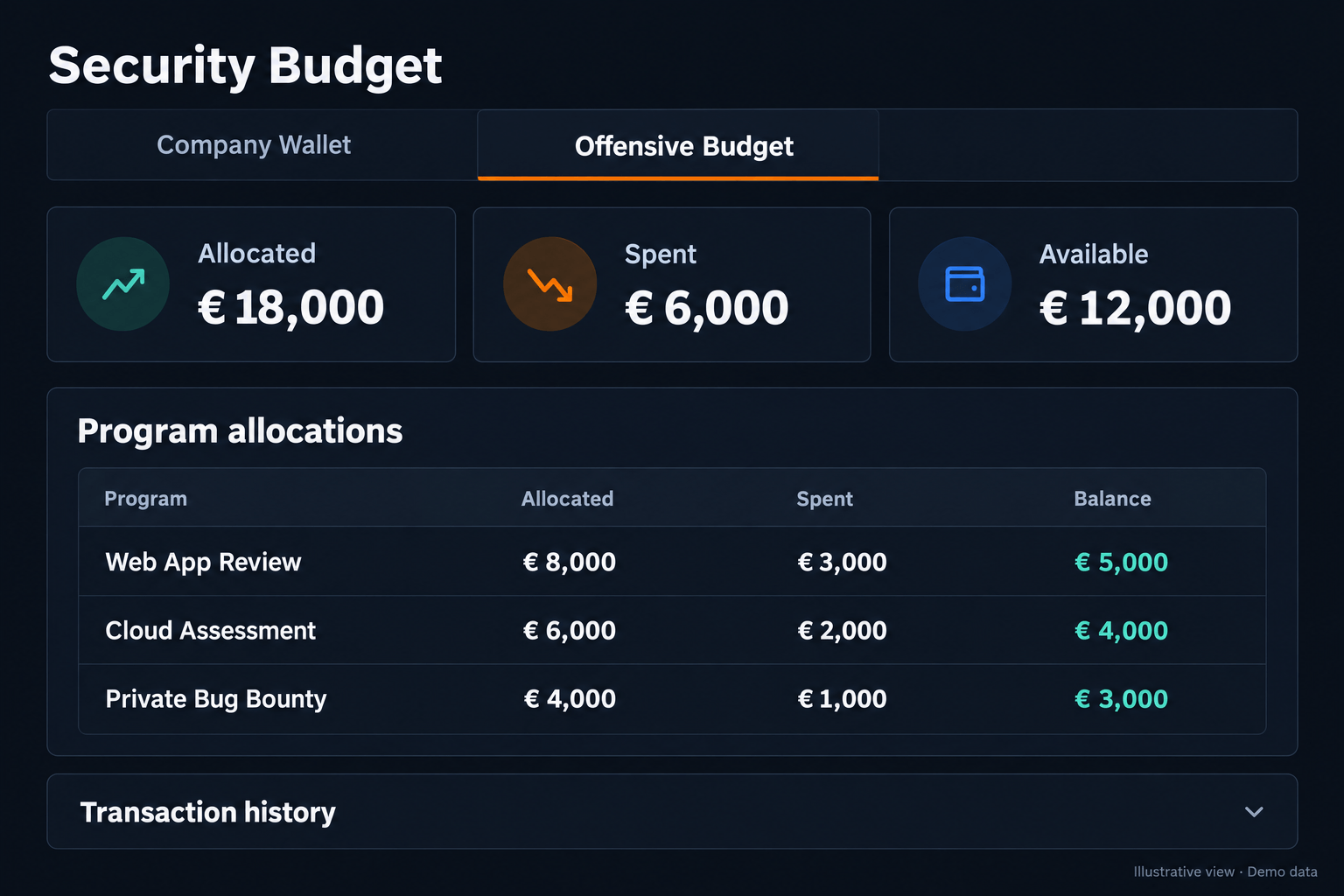
Your budget. Clearly accounted for.
Allocate budget across programs and adjust allocations as priorities change. See what’s committed, spent and still available.
→ Program-level allocations
→ Spend and balance tracking
→ Detailed transaction history
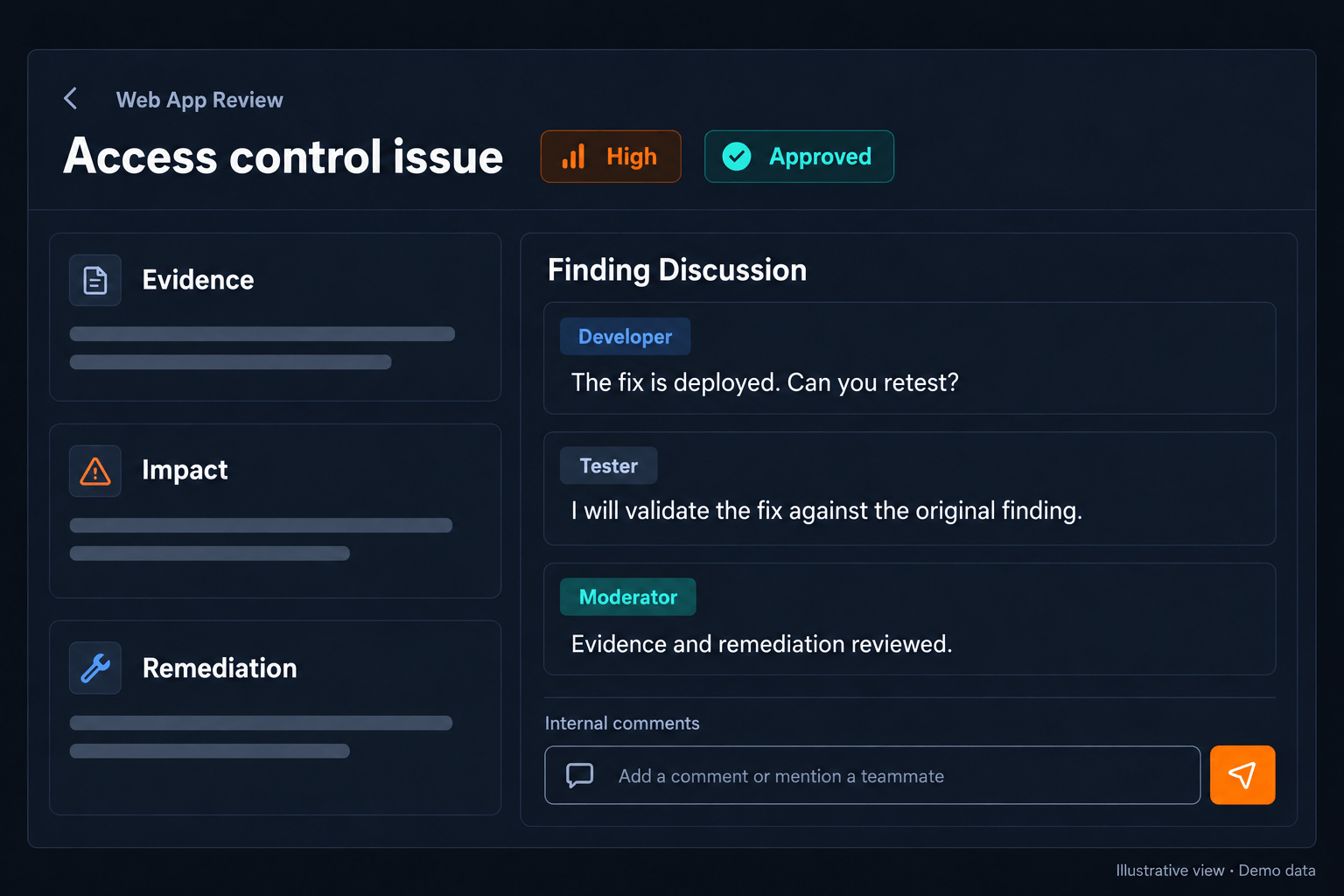
The people behind the findings. Within reach.
Connect your developers with testers and moderators on PTaaS and bug bounty projects. Resolve questions where the evidence and remediation guidance already live.
→ Finding-level discussions
→ Comments, mentions and attachments
→ Internal team conversations
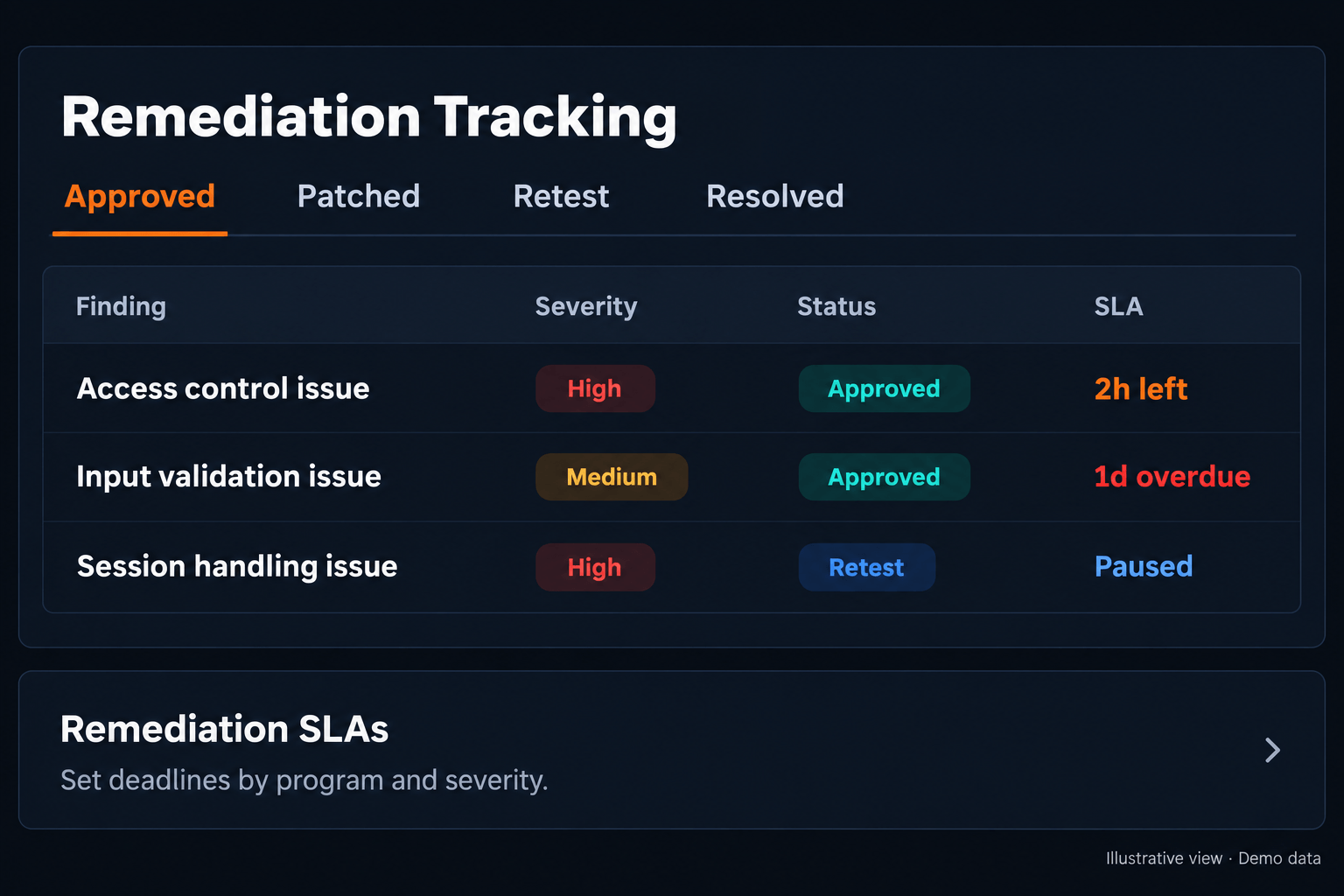
From finding to verified fix.
Track vulnerabilities through triage, remediation and retest. Set deadlines by program and severity, and see which findings need attention.
→ Configurable remediation SLAs
→ Countdowns and overdue visibility
→ Retest tracking and Jira integration
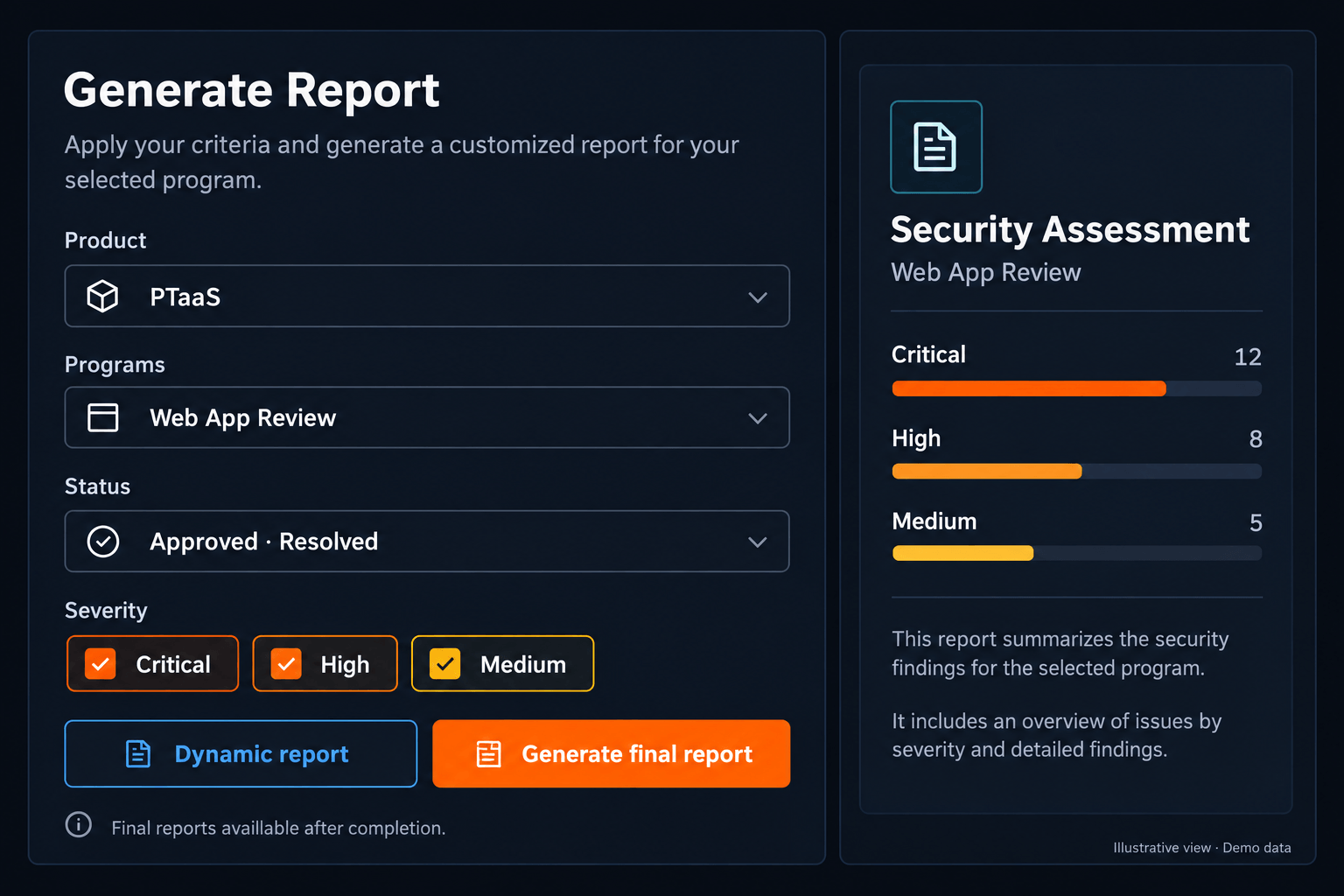
Your report. A few clicks away.
Choose programs, dates, status and severity. Generate progress reports during testing and final reports when the engagement is complete.
→ Flexible report filters
→ Dynamic and final reports
→ Evidence and remediation summaries